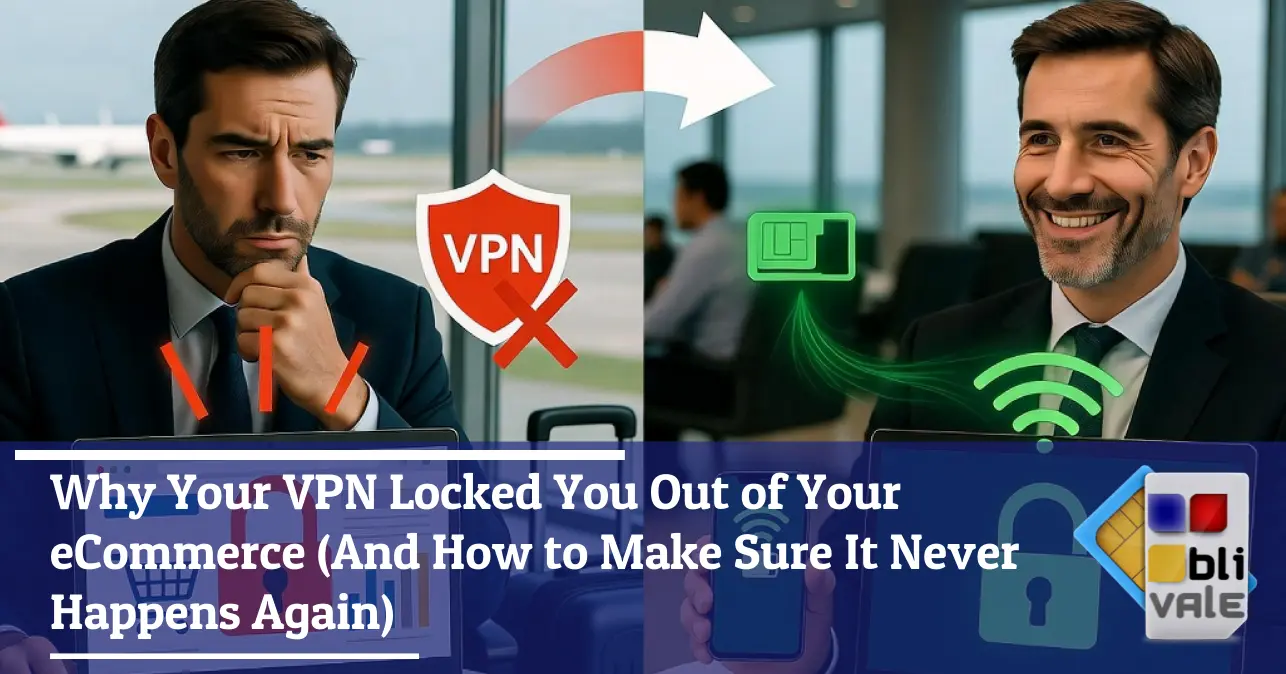
Why Your VPN Locked You Out of Your eCommerce
(And How to Make Sure It Never Happens Again)
Thought your VPN was your digital shield? If you manage an eCommerce store or a business dashboard, it could be the very thing locking you out of your virtual office at the worst possible moment — precisely when you're traveling.
Access denied. Dashboard unreachable. Urgent order on hold. And you're sitting in the airport lounge — connected to your VPN.
The Myth of the Universal VPN: Does It Always Protect You?
You've installed the VPN, connected to the airport Wi-Fi, and you feel safe. But what happens when you open your eCommerce admin panel and the screen greets you with a 403 error? Welcome to the paradox of the modern digital traveler.
In recent years, the VPN (Virtual Private Network) has become synonymous with cybersecurity. Articles, podcasts, and online guides present it as the essential tool for anyone connecting to public networks: airports, hotels, coffee shops. And in part, they're right — but only in part.
The problem surfaces when you move from the average user streaming Netflix to the digital professional who needs to access critical systems: sales dashboards, business CMS, order management platforms, admin panels. Here, the VPN "shield" can suddenly transform into an impassable wall, rising up against you rather than protecting you.
A VPN protects your data in transit from interception — but it doesn't guarantee access to systems that require a trustworthy and verifiable digital identity. In fact, it often undermines it.
The scenario goes like this: you're traveling — perhaps a layover in Dubai, a meeting in London, or a trade show in Las Vegas — and you need to handle an urgent operation on your online store. You open the VPN to secure your connection (perfectly reasonable), but the system you're trying to reach wants nothing to do with that anonymous, shared IP the VPN has assigned you.
The result? A block. Sometimes temporary. Sometimes permanent, with your account placed under "suspicious review."
A procurement manager handles supplies for a manufacturing company. During a layover in Frankfurt, he uses the airport Wi-Fi with a VPN active to submit an urgent order through a supplier's portal. The system — protected by an advanced firewall — detects the VPN IP as "suspicious" and blocks access. The manager cannot authenticate for 40 minutes. The order is delayed. Production falls behind schedule.
Why Security Systems Block VPNs: A Simple Technical Explanation
To understand the problem, you don't need to be a software engineer. You just need to understand how security systems "see" anyone attempting to log in.
When you connect to the internet through a VPN, your traffic is routed through an intermediary server — managed by the VPN provider — and the website or system you want to reach "sees" the public IP address of that server, not yours.
So far, so good. The problem is that that VPN server is shared with thousands — sometimes hundreds of thousands — of other users. Everyone exits to the internet through the same IP. And the advanced firewalls used by eCommerce platforms, business CMS, and management systems know this.
If 10,000 different people use the same IP address — as happens with the most popular VPN servers — the security system interprets that traffic as anomalous. This kind of behavior is typical of bots, DDoS attacks, and fraudulent access attempts. The firewall reacts: it blocks, restricts, or quarantines that IP.
Security plugins like Wordfence (for WordPress), the WAFs (Web Application Firewalls) of eCommerce platforms like Shopify or Magento, and the proprietary systems of many business dashboards maintain constantly updated blacklists of known VPN IPs. It's no coincidence — it's a deliberate, engineered defense.
- The IPs of the most widely used VPNs (NordVPN, ExpressVPN, Surfshark) are publicly catalogued and entered into IP reputation databases.
- Fraud prevention systems on integrated payment platforms automatically block transactions from VPN IPs to prevent chargebacks and fraud.
- Some systems require geographic consistency: if your account is based in the US but you access it from a VPN IP geolocated in the Netherlands, the alarm goes off.
- CAPTCHAs and two-step verification are triggered far more often when browsing from shared or suspicious IPs.
The real conflict isn't between security and freedom — it's between protecting the site and the user's digital identity.
The crucial point to understand is this: a VPN protects you from people who want to spy on your connection, but it signals to the system you're trying to reach that you're someone who prefers to stay hidden. And for a system designed to prevent fraud, "hiding" is already reason enough to shut the door.
The Concrete Case: Dashboards and Order Panels
If this feels abstract, let me bring you into a concrete situation. Maybe you've already been there — or you will be.
Imagine you have an urgent order to process. The customer is waiting. You're in the boarding lounge, connected to the airport Wi-Fi, VPN running. You open your store's management panel. White screen. Then an error. Then nothing. The account has been temporarily suspended for "unusual activity." It will take 24–48 hours to be reinstated.
This is not an invented scenario. It's one of the most commonly reported situations among digital entrepreneurs, eCommerce managers, and account managers who frequently work on the go.
The platforms most likely to trigger these kinds of blocks include:
- eCommerce management panels (Shopify Admin, WooCommerce, Magento Backend) — protect administrative access with IP-based security systems.
- Marketplace dashboards (Amazon Seller Central, eBay, Etsy Seller) — fraud prevention systems that are extremely sensitive to anomalous IPs.
- CRMs and B2B platforms (Salesforce, HubSpot, SAP) — often require connections from "certified" or corporate IPs.
- Order and logistics management panels — where operator traceability is a built-in part of internal controls.
- Banking and payment platforms — hypersensitive to VPN IPs to prevent fraudulent access.
A VPN block almost never happens at a "convenient" moment. It always strikes at the most critical instant: an urgent order, a catalog update just before a promotion goes live, a price change mid-sale. Security systems make no exceptions.
The paradox is disorienting: you're trying to protect your connection using tools designed for security, but those very tools are locking you out of systems you have every right to access. The solution isn't to give up on security — it's to choose the right kind of security.
The Solution: Private Connectivity vs. Masked Connectivity
We've reached the heart of the problem — and more importantly, its solution. The distinction you need to make is not between "secure" and "not secure," but between two fundamentally different types of connection:
You browse through a shared, anonymous IP. Your traffic is encrypted, but your digital identity is hidden — and for systems that require trust, "hidden" equals "suspicious." High risk of blocks, CAPTCHAs, and account suspensions.
You browse through a real mobile IP, dynamically assigned by the local carrier network. Your traffic is private because it's yours — not shared with anyone else. eCommerce firewalls don't block it because it's indistinguishable from any ordinary, authentic user browsing on their phone.
The difference is substantial. When you use an international eSIM, your device connects to the local mobile network of the country you're in — exactly as a local resident would with their own data plan. The IP you receive is a real dynamic mobile IP, assigned by the carrier, completely distinct from the VPN IPs catalogued in security blacklists.
With an active eSIM, your smartphone or laptop (via hotspot) connects to the local 4G/5G network. The site you want to visit sees a mobile IP address — the same type that any user in that country would have on their phone. No VPN blacklists involved. No suspicious behavior flags. Access guaranteed, security guaranteed, productivity guaranteed.
And what about security? Mobile data connectivity is inherently more secure than public Wi-Fi from the outset, because traffic travels over an encrypted cellular network — not through a shared access point that may be compromised. You don't need to add a VPN layer on top of a connection that is already private.
A real mobile IP — even if geographically different from your home country — is perceived by security systems as an authentic user in transit. Not a bot, not an attack, not a suspicious VPN. Simply: a professional working on the move, just as they do every day.
The logic is straightforward: instead of masking where you are, connect authentically from where you are. The local mobile network assigns you a real digital identity, geographically consistent with your physical location. eCommerce firewalls have no reason to block you. Fraud prevention systems see no warning signs. You work — uninterrupted.
Comparison Table: VPN on Public Wi-Fi vs. Dedicated eSIM
To make the difference even clearer, here is a direct comparison between the two solutions in the scenarios most relevant to the digital professional on the road:
| Criterion | VPN on Public Wi-Fi | eSIM with Mobile IP |
|---|---|---|
| Type of IP assigned | Shared IP (thousands of users) | Dynamic mobile IP (personal) |
| Risk of eCommerce block | High — IP on VPN blacklist | Minimal — authentic mobile IP |
| Business dashboard access | Often blocked or restricted | Stable and uninterrupted |
| Connection security | Medium (depends on Wi-Fi network) | High (encrypted cellular network) |
| Consistent geolocation | No (IP often in a different country) | Yes (local IP of the country visited) |
| Fraud system activation | Frequent | Rare |
| Productivity on the go | Inconsistent, prone to blocks | Continuous and reliable |
| Dependence on external Wi-Fi | Yes (airport, hotel, café) | No (full autonomy) |
| Setup required | Medium (app installation + config) | Simple (digital activation) |
The picture is clear: for those who work seriously online while traveling, mobile connectivity via eSIM is not a luxury alternative — it is the rational choice that protects productivity without compromising security.
Conclusion: Choose the Right Connection for Your Work
To recap the journey we've taken together: a VPN is a valid tool for protecting traffic on untrusted public networks, but it is not the right solution for professionals who need to work on the go using critical business systems. The reason is structural — not a flaw in the VPN itself — modern security systems are designed to block anonymity, not enable it.
The conceptual shift is this: the best security while traveling isn't the kind that masks your digital identity — it's the kind that guarantees you a real and trustworthy one.
A mobile data connection via eSIM gives you exactly that: a real IP, a consistent geolocation, a connection that is private by nature — with no blacklists, no blocks, and no interruptions to your workflow.
Use a dedicated mobile data connection as the foundation of your work setup. If you need an additional layer of encryption on particularly sensitive networks, consider using a VPN on top — but never as the only solution. The priority is always having a clean and reliable IP address.
The digital work landscape has changed radically. The concept of an "office" has dissolved — today, your office is wherever you are, with your connection. And a poor connection, or worse a blocked one, is not just an inconvenience: it's a concrete risk to your business.
It's not who connects the most that wins — it's who connects best.
If you run an eCommerce store, coordinate a remote team, submit orders on the move, or access critical business dashboards while traveling, the type of connection you use is not a secondary technical detail. It's a business decision.
Frequently Asked Questions
No — a VPN still makes sense in specific contexts: when you need to access internal company resources protected by a corporate VPN, or when you're on a particularly exposed network and need to protect sensitive data. The problem arises when a VPN is used as the only connectivity solution on public Wi-Fi to access eCommerce systems or dashboards. In that case, a mobile connection via eSIM is more effective and far less problematic.
Not all of them, but the percentage is steadily growing. The most advanced systems — especially those with sophisticated security plugins, integrated anti-fraud systems, or protections for financial transactions — systematically block or restrict access from known VPN IPs. Marketplaces like Amazon Seller Central and Shopify are among the strictest. Simpler platforms may be less restrictive, but the industry trend is clearly moving toward tighter controls on user identity.
Yes. 4G and 5G cellular networks use robust encryption protocols (AES-128 and above) to protect data traffic. Unlike public Wi-Fi — which transmits data over shared radio frequencies that can potentially be intercepted — mobile data connectivity is end-to-end encrypted from your SIM to the carrier's base station. In practical terms, browsing via mobile data is inherently more secure than browsing on public Wi-Fi, even without an additional VPN layer.
Absolutely. Many professionals activate the eSIM on their smartphone and use the mobile hotspot feature to connect laptops, tablets, and other devices to the same data connection. This way, all your work devices browse through the same clean, reliable mobile IP. It's a flexible solution that requires no additional hardware — just a phone that supports eSIM (the vast majority of modern smartphones do).
The process is entirely digital and takes just a few minutes. Once you've purchased your desired eSIM plan, you receive a QR code by email. You scan the QR code with your smartphone (in the SIM/network settings), confirm the plan details, and within 1–2 minutes the eSIM is active. You can activate it before departing — so you're up and running the moment you land — or directly at the airport, with no queues, no shops, and no need to hunt down a physical local SIM.
It depends on the provider. The most comprehensive international eSIM solutions offer coverage in over 150–200 countries, with flexible plans that can be activated or deactivated without long-term contracts. The most common business destinations — Europe, North America, Asia Pacific, the Middle East — are always well covered. It's worth checking the specific coverage for your most frequent destinations before choosing a plan.
Technically yes, but in most cases it's counterproductive. If you activate a VPN on top of a mobile eSIM connection, eCommerce systems will once again see the VPN's shared IP — and the blocking problems will return. The eSIM alone is already a private and secure connection: adding a VPN on top means giving up the eSIM's primary advantage (the authentic mobile IP). The exception is when your corporate VPN is required to access protected internal resources — in that case, the eSIM still provides a much better connectivity base than public Wi-Fi.
The next time you're in transit or traveling, don't let your connection make decisions for you.
There are international connectivity solutions designed specifically for professionals like you — activatable in 2 minutes, operational in over 200 countries, with no long-term contracts. Clean connection, real mobile IP, guaranteed productivity wherever you go.
Explore connectivity solutions →