How we really solve problems,
step by step
A real WhatsApp support case: a customer with an eSIM for Brazil, a technical issue, and a solution found together — in less than 4 hours.
Our support: no bots, just people
At BLIVALE we believe customer support must be human, fast and practical. Every request is handled by a real operator — available via email and WhatsApp — who listens, analyses and resolves.
Here we show you a real conversation that took place on 21 April 2026, with a customer who had purchased an eSIM for Brazil Unlimited 10 Days. A case of blocked roaming, resolved in a few hours thanks to direct dialogue and the customer's collaboration.
💬 Available on WhatsApp and Email
You can contact us directly via WhatsApp or email. Fast response, real technical support, zero automated replies.
The case: Brazil eSIM stuck on roaming
The customer had correctly installed the eSIM "eSIM for Brazil Unlimited 10 Days (BR)", but found himself in a frustrating situation: the connection showed the roaming 'R' indicator but no data was working. He had already tried to configure the APN manually, but without success.
⚠️ The issue reported by the customer
«eSIM connected but no data (stuck on roaming 'R'). APN set to cmhk/global. Tried multiple networks. Please activate or reprovision.»
Message sent approximately 30 minutes after receiving the activation confirmation.
your eSIM for [Brazil] has been sent! 🌍
Please check your inbox to find your QR Code and activation guide. We are here if you need any help.
Best regards, -BLIVALE Team-
We have received your technical report regarding the 'R' roaming status and the APN settings. We are immediately opening a ticket with our technical department.
Could you please send us a screenshot of your 'Cellular/Mobile Data' settings and the current APN configuration? This will help our technicians identify the issue.
Can you also send us a screenshot of the SIM Manager page?
Have you tried all three options?
Is the eSIM set as the primary data SIM?
In some cases, if everything is set up correctly, all you have to do is turn the phone off and on again.
📸 Technical screenshots shared during support
The customer sent us screenshots of his device (Samsung Galaxy S22 Ultra) to help us diagnose the issue. Below are the screens illustrating the correct final configuration:
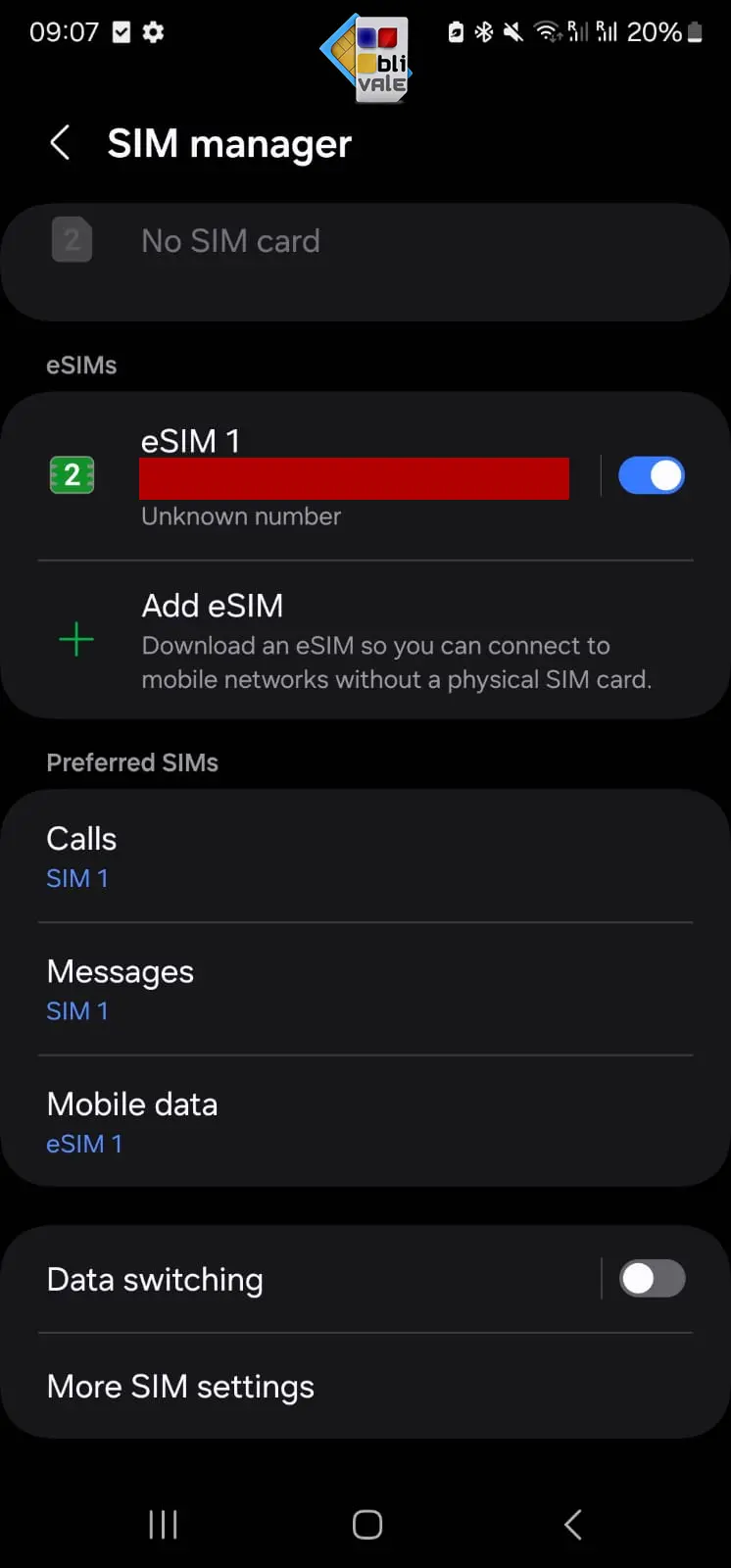
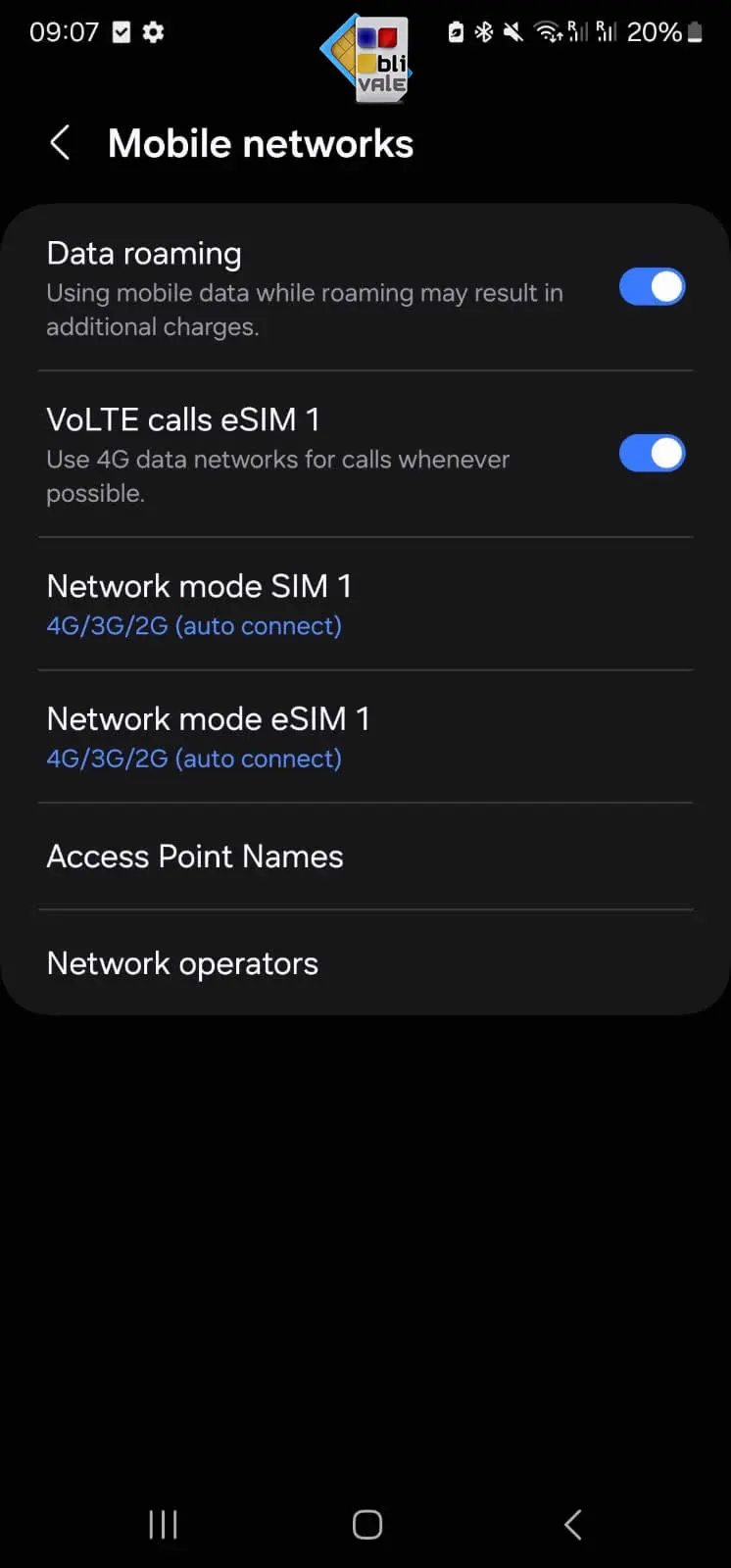
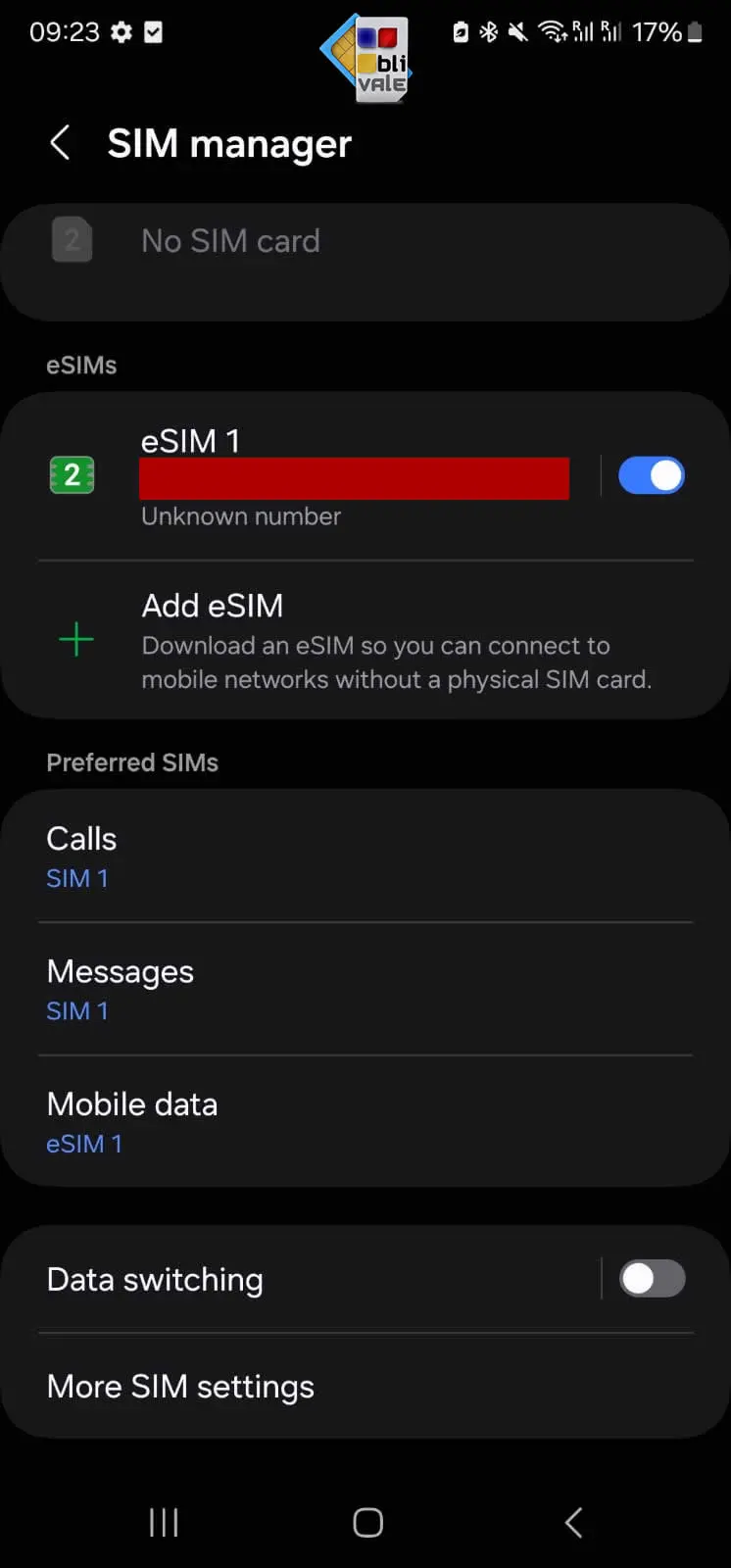
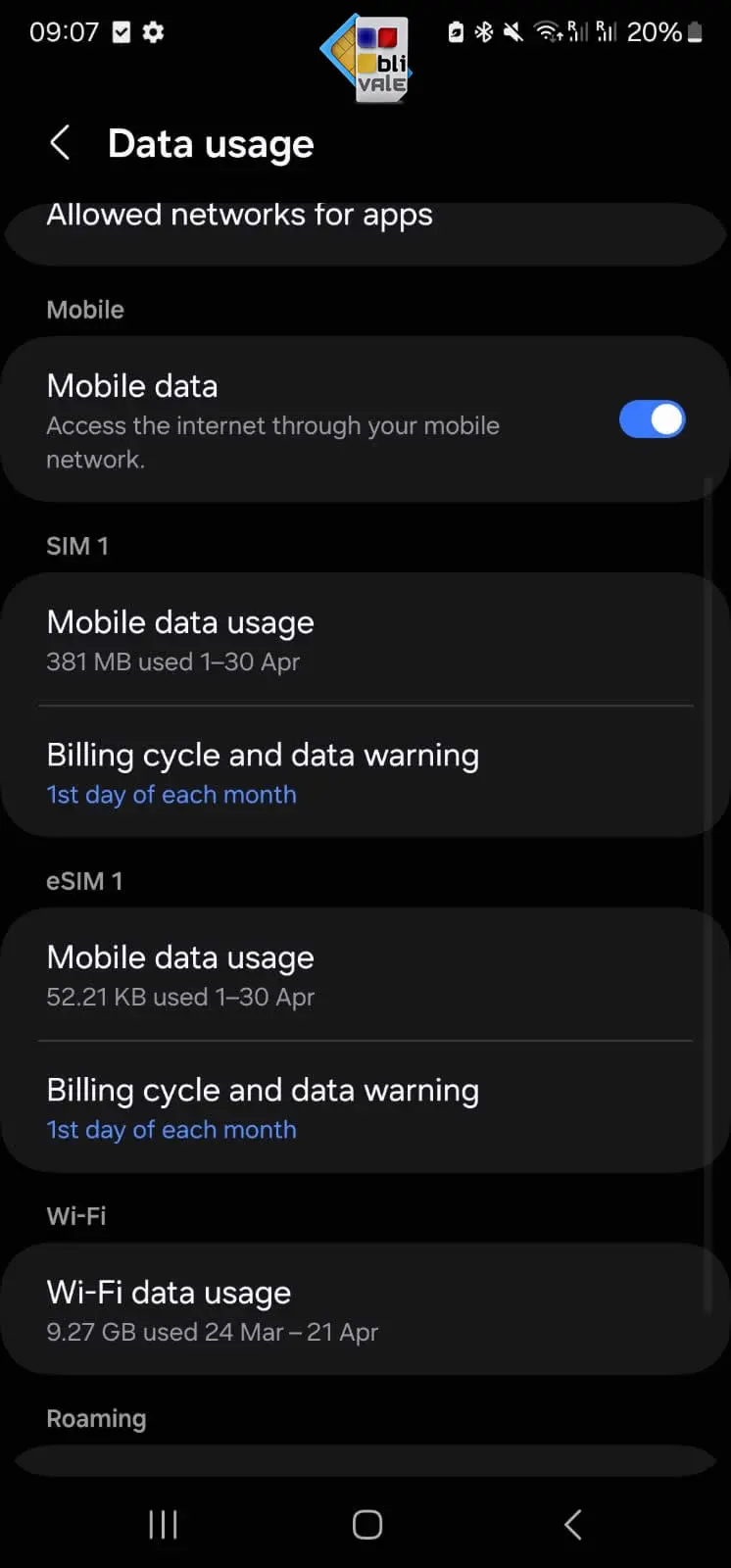
Note: All screenshots were shared by the customer with consent for use in support purposes. Personal data and phone numbers were redacted prior to publication.
What happened and how we resolved it
The problem was an incorrect APN on the device. The CMLink eSIM supports three valid configurations, and it was simply a matter of selecting the right one. Once we verified the SIM Manager configuration and confirmed that the eSIM was set as the primary data SIM, a simple phone restart completed the process.
Immediate report
The customer contacts us via WhatsApp with a clear technical description of the issue.
Technical ticket opened
Our team opens an internal ticket and requests screenshots to diagnose the problem.
APN diagnosis
We review the screenshots: the selected APN was wrong. We indicate the three correct options: cmlink, cmhk, global.
Configuration check
We ask for the phone model (Samsung S22 Ultra) and verify that the eSIM was set as the primary data SIM.
Restart and resolution
After restarting the device, the data connection works perfectly. Issue resolved in 4 hours.
«It's working now, thank you!»
The customer confirmed that everything works perfectly — less than 4 hours after the first report, with no reprovisioning and no need for complex technical interventions.
The technical proof: the data speaks for itself
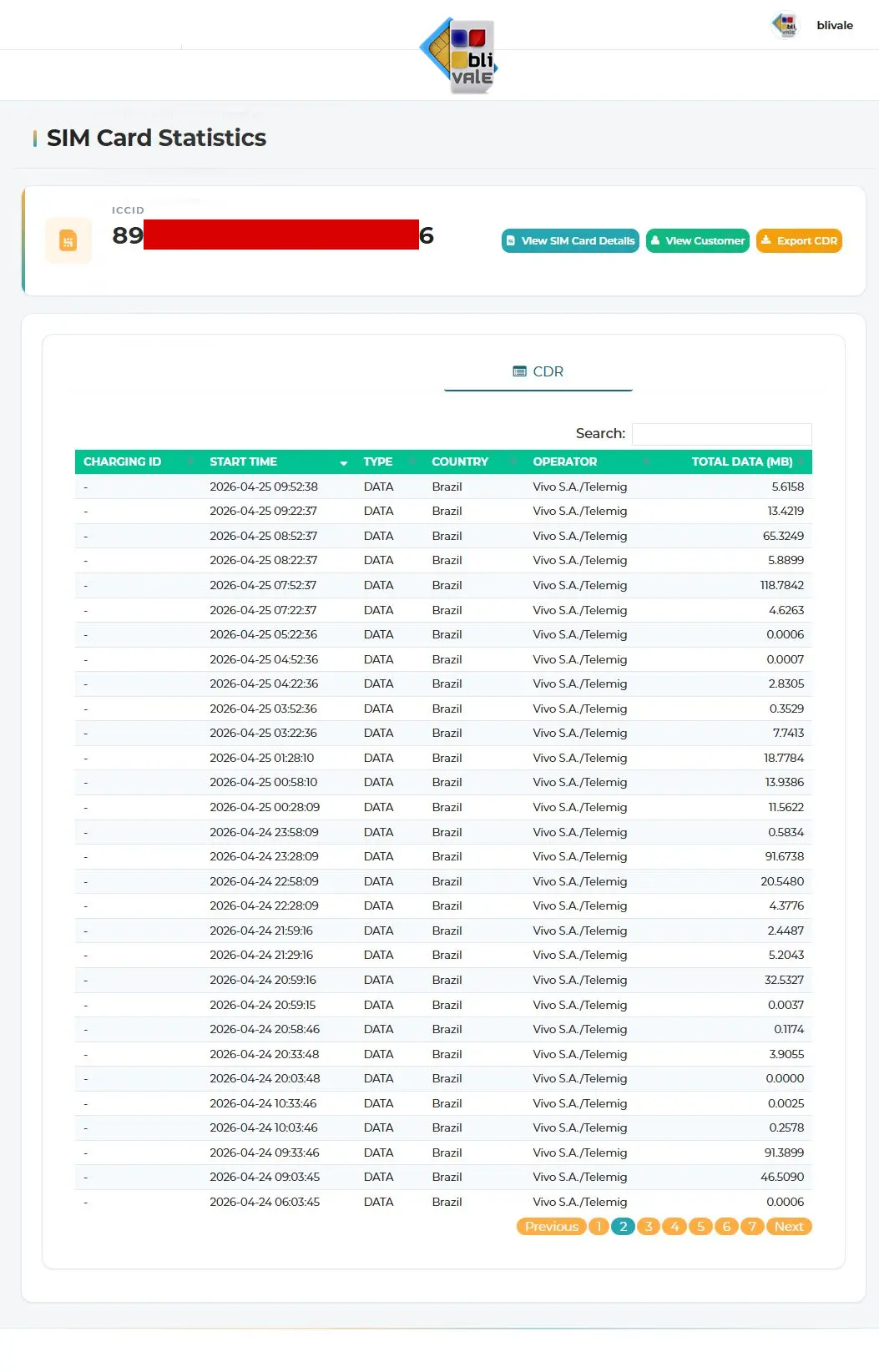
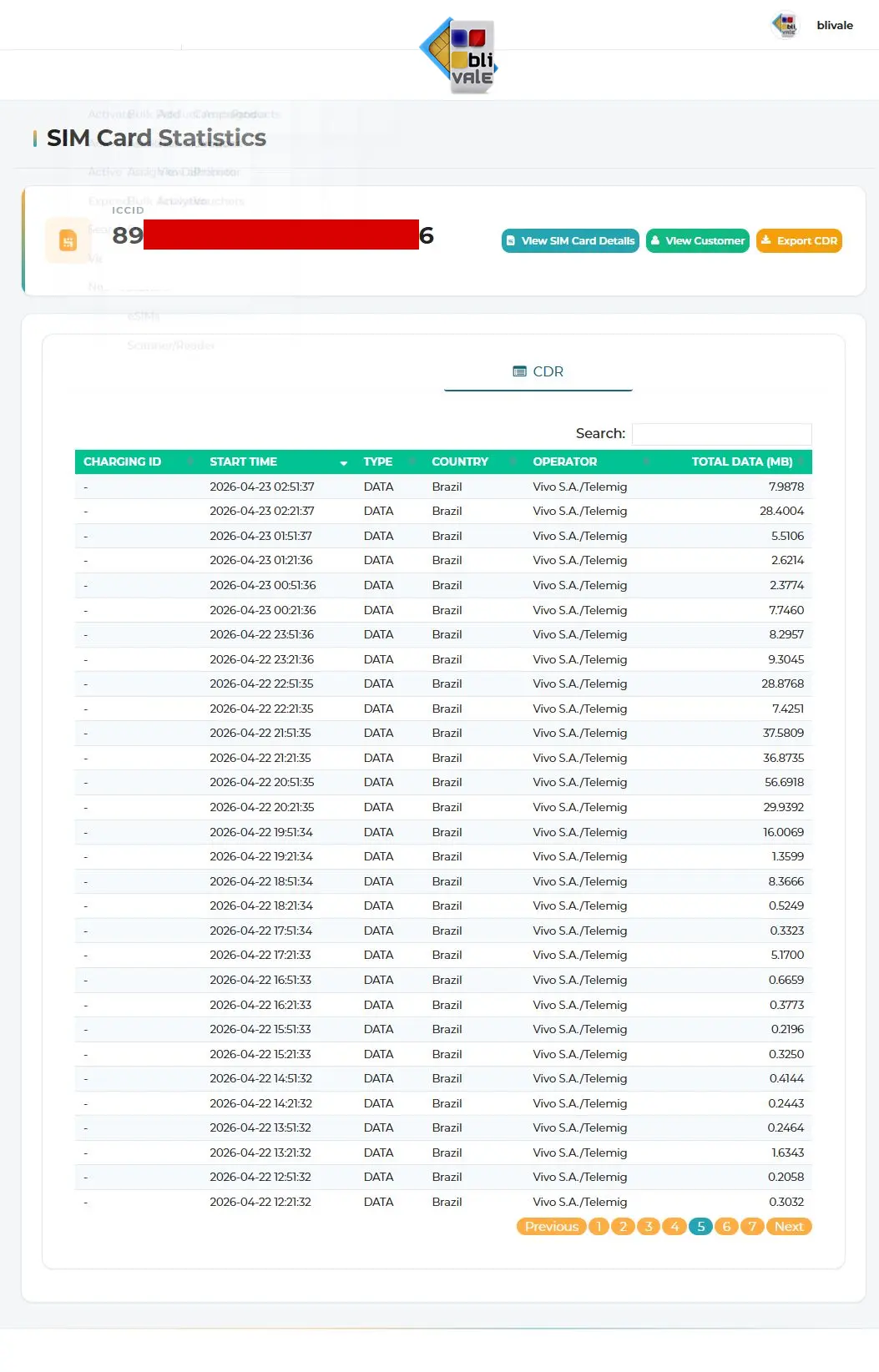
We don't just rely on the customer's word — we also have technical confirmation. From our management panel we can verify in real time the data usage of every eSIM. Below you can see the CDR (Call Detail Records) logs of the customer's SIM: dozens of active data sessions in Brazil, all via the Vivo S.A./Telemig operator, in the days following the resolution of the issue.
📊 What these logs show
- The eSIM connected regularly to the Vivo S.A./Telemig network in Brazil
- Data sessions are continuous on 22, 23, 24 and 25 April 2026
- Data traffic ranges from a few KB to over 100 MB per session — real and active usage
- No abnormal interruptions after the resolution: the connection was stable
Active data sessions on Vivo S.A./Telemig View verified usage screenshot
🔒 Privacy note
The technical panel screenshots have been anonymised before publication: the SIM card ICCID and the licence number have been redacted to protect the customer's privacy. Traffic data (dates, MB, operator) contains no personally identifiable information.
Why choose BLIVALE for your eSIM
We are your point of reference before, during and after your trip. This case shows how an apparently complex problem can be resolved in a few hours thanks to direct and competent dialogue.
«We are immediately opening a ticket with our technical department to check the provisioning of your line.»
— BLIVALE Team, reply sent in less than 20 minutes from the report✅ The advantages of our support
- No bots. Every message is read and answered by a real operator.
- Specialised technical support. We know how eSIMs and the most common devices work.
- Fast response. In this case the first reply arrived in less than 20 minutes.
- WhatsApp and Email. You can choose whichever channel you prefer.
- Guided resolution step by step. We never leave you alone.
📌 Technical tips for eSIM on Samsung Galaxy (S22/S23/S24)
- Go to Settings → Connections → SIM Manager and make sure the eSIM is set as the primary data SIM.
- Under Mobile Networks → Access Point Names, select one of the correct APNs: cmlink, cmhk or global.
- Enable Data Roaming for the eSIM profile.
- If everything is correctly configured but the connection still doesn't work, try turning the phone off and on again.
Travel to Brazil with the right eSIM
Unlimited connection for 10 days, instant activation via QR Code, and our team ready to help you at any time.
Looking for more? Discover our eSIM Unlimited Premium — extended plans with coverage in dozens of countries.