BLIVALE Customer Support: a real eSIM support case for China and Hong Kong
At BLIVALE, customer support never goes through a bot. Every request - by email or WhatsApp - is handled by a real person, who follows the customer step by step until the issue is solved. In this article we share a concrete case: two China Unlimited eSIMs activated by the same customer, the issues she ran into, and how we solved them in real time.
Why our support makes the difference
- Direct reply from an operator, never an automated chatbot
- Support via email and WhatsApp, in the customer's own language
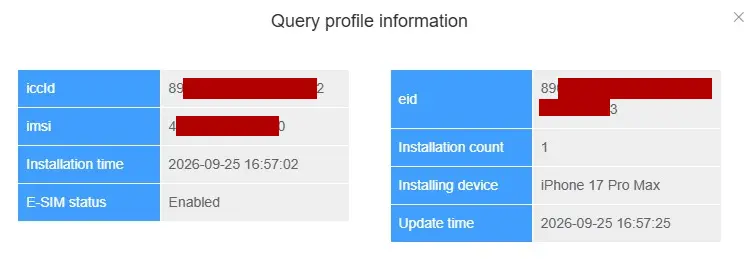
- Real-time check of the eSIM status (installation, data usage, coverage)
- Step-by-step guidance even through the most complex procedures, such as the real-name registration required by some local carriers
The case: two China Unlimited eSIMs for the same trip
The customer initially purchased an eSIM CHINA - Unlimited Data - No Roaming Charges, No Speed Limits: 10 Days and, later on, a second eSIM to extend coverage to Hong Kong and Macau as well: eSIM CHINA - HONG KONG - MACAU - Unlimited Data - No Roaming Charges, No Speed Limits. During the trip, two separate support requests came up, both resolved on the same day.
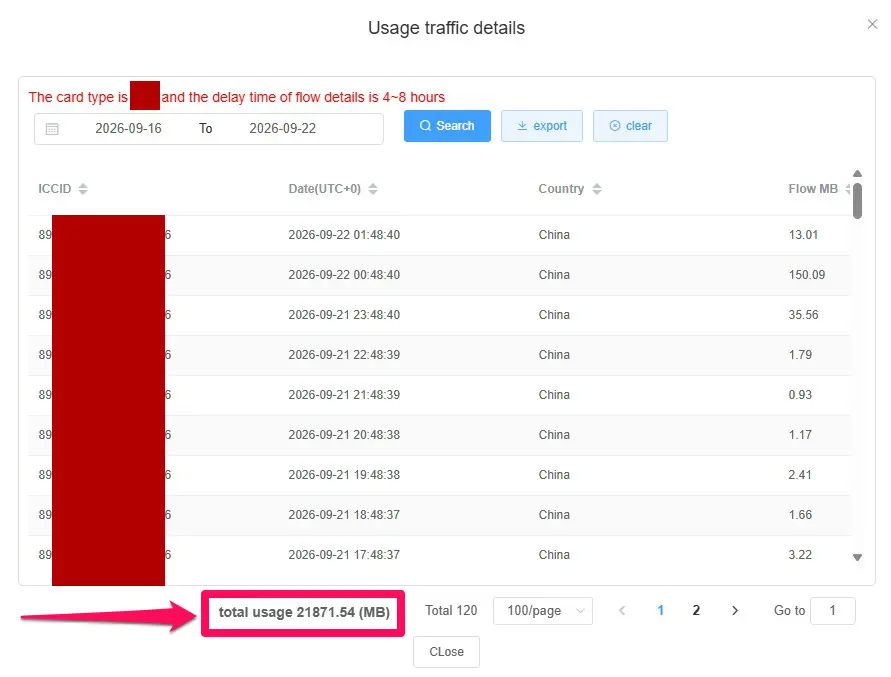
1. Data speed seemed to have slowed down
Within minutes we identified the cause: a sub-optimally configured APN. The fix (from cmlink to cmhk) instantly restored full speed.
2. The Hong Kong eSIM wasn't working after installation
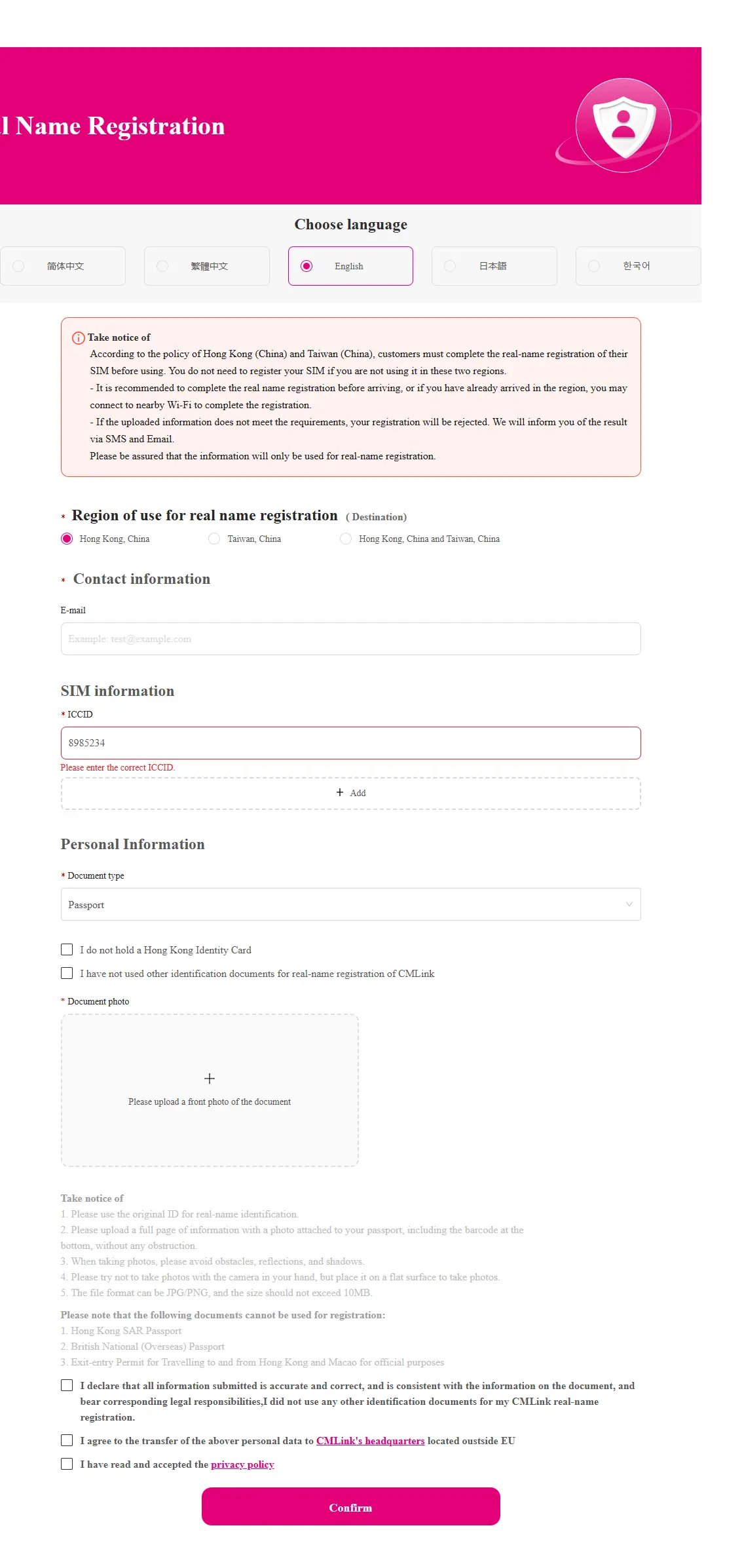
What "Real-Name" registration is, and why it's sometimes required
BLIVALE almost never asks its customers for an identity document: when we do, it's only to confirm that the order genuinely comes from its owner. For some destinations, however - such as Hong Kong and Taiwan - the local carrier requires, by law, a real-name registration of the eSIM, entering the ICCID and an identity document directly on the carrier's portal. This is a standard procedure of the local market, not a BLIVALE policy, and in our experience customers have never had trouble completing it by following our step-by-step instructions.
Before the support case: an order followed from start to finish
Support didn't stop at solving the two technical issues. The BLIVALE team also followed the customer through the purchase and shipping stages: order verification, email confirmation, payment handling via instant SEPA transfer for one of the eSIMs (South Korea), and clear communication on activation timing.
Note: not every customer has prior experience with eSIMs. Even though every order comes with written installation instructions, our team remains available to answer any question, quickly.
Want to travel to China, Hong Kong or Macau without worries?
Choose BLIVALE Unlimited Premium eSIMs: unlimited data, no speed limits, no roaming surcharges - and real support if something doesn't work right away.
🛒 China Unlimited eSIM 🛒 China - Hong Kong - Macau Unlimited eSIM See all Unlimited Premium eSIMsThis is just one of the many cases we handle every day: behind every BLIVALE eSIM there's a team ready to step in, not an algorithm. That's the difference we want to offer to those who travel.