Having trouble with your eSIM?
We'll answer you — on WhatsApp.
No bots, no waiting tickets. Just real people solving real problems, in real time.
When you purchase an eSIM from BLIVALE, you're not on your own. Every order includes direct support, available via WhatsApp and email, handled by our team — not by an automated system.
This article shows you how our support actually works, with a real case that happened this morning: a customer had an eSIM that wouldn't connect to the network. Problem solved in under 15 minutes.
The most common issues we solve
eSIMs are modern technology, but the occasional hiccup can happen. These are the cases we handle most often:
- eSIM is installed but won't connect to the network
- APN not configured correctly on the device
- Confusion between multiple eSIMs purchased (different ICCIDs)
- Unclear plan duration (1 day, 7 days…)
- eSIM installed but no signal
- Uncertainty about which eSIM to install first
How our support works
The process is simple and fast. Here's what happens from the moment you contact us:
-
1Message us on WhatsApp or by email Just a few lines: describe the issue and send us your order code (found in your confirmation email, e.g. BLVxxxxxxxxxx1).
-
2We locate your order We access our system and verify all eSIMs linked to your purchase: ICCID, activation status, data used, expiry date.
-
3We analyse the problem We may ask you for a screenshot of your APN settings and available networks on your device. This lets us understand exactly what's happening.
-
4We guide you to the solution We send you precise, step-by-step instructions. Often all it takes is selecting the correct network or waiting a few seconds.
-
5You confirm it's working ✅ We don't close the conversation until you're connected. As a customer wrote to us this morning: "I think it's working now" — and we replied: "Yes, it is."
A real case: this morning, in under 15 minutes
We're sharing a real conversation that took place this morning with one of our customers in Malaysia. Personal data (name and phone number) have been redacted for privacy.
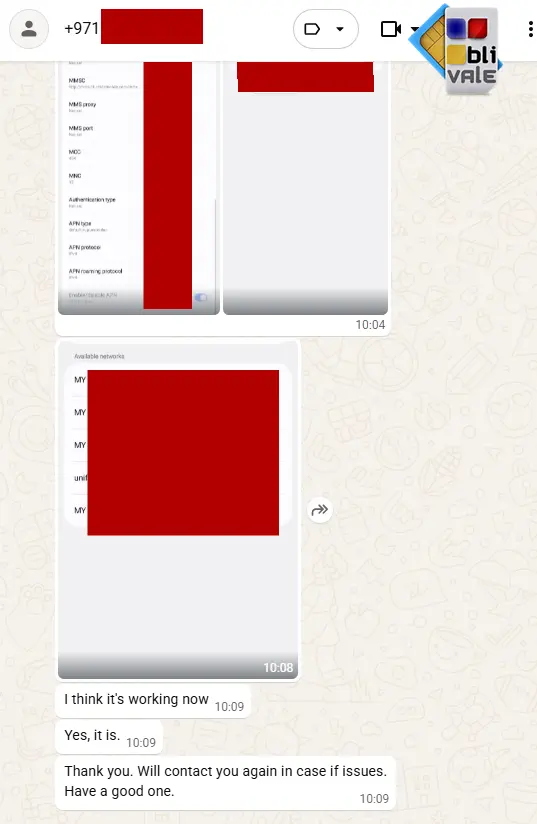
The customer contacted us reporting that their eSIM had stopped working. They had purchased two eSIMs for Malaysia: a 1-day plan (already expired, as expected) and a 7-day plan, not yet installed.
My Sim card for: BLVxxxxxxxxxx1
Stopped working. What can I do?
It was supposed to be unlimited data for 7 days.
We have located your order. Both eSIMs you purchased are Unlimited.
We have verified the eSIM with ICCID ending in 89xxxxxxxxxxxxxxxxx2 — it appears to be working and has used data. This eSIM was purchased for 1 day and has already expired.
The eSIM with ICCID ending in 89xxxxxxxxxxxxxxxxx1, with a 7-day validity, is not yet installed. You can install it now — it expires 24 hours after installation.
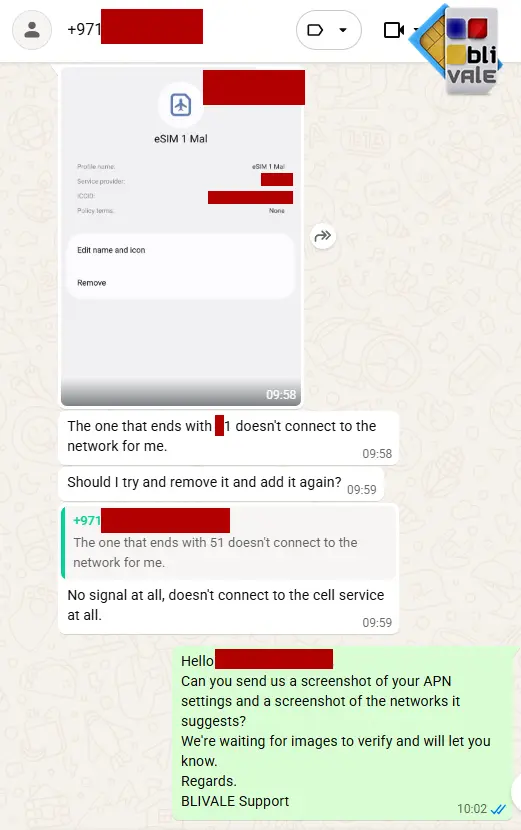
No signal at all, doesn't connect to the cell service at all.
We're waiting for the images to verify and will let you know.
View Verified Usage Screenshot — Customer in Malaysia
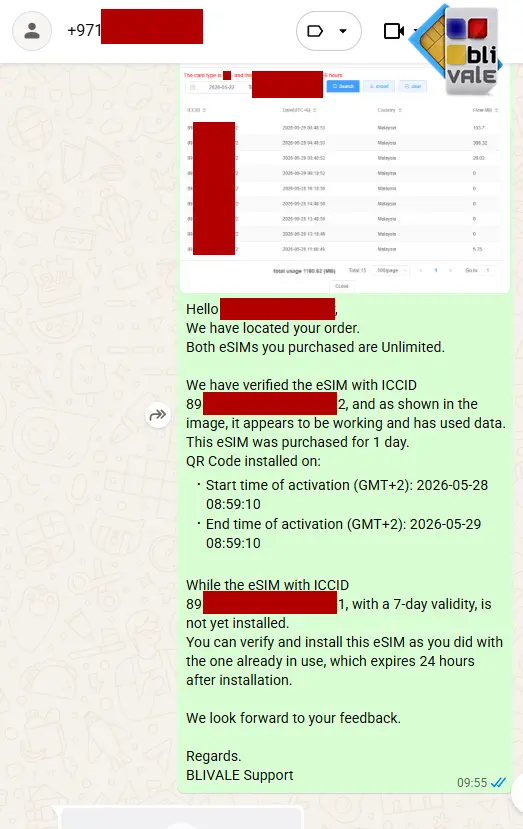
View Verified Usage Screenshot — Customer in Malaysia
eSIM for Malaysia — Unlimited Data, 7 Days
Connect as soon as you land. No physical SIM, no surprise roaming charges.
And if you run into any issue, we're right here.
Why choose BLIVALE
How to contact us
We're available on two channels. Choose whichever works best for you:
Fast replies, including images and screenshots. Ideal for urgent technical issues.
For non-urgent requests, documentation or follow-up. We reply within a few hours.
Frequently asked questions about our support
Yes, it's included with every purchase. There is no additional cost to contact us.
Contact us via WhatsApp or email and send a screenshot of your APN settings and the available networks on your device. We'll tell you what to do within minutes.
It depends on the eSIM type. In some cases yes, in others no. Before doing so, contact us: we'll check the situation and tell you how to proceed without risking the loss of the installed profile.
Contact us with your order code. We'll explain the difference between the eSIMs you purchased (duration, ICCID, expiry date) and recommend the correct installation order.
Yes. Our team responds in English, Italian and other languages depending on the need.
We check the exact activation date and time for you. We'll tell you exactly how much time you have left, so there's no doubt.
Planning a trip to Malaysia?
Our 7-day unlimited data eSIM is the simplest way to stay connected. And if you ever need us, we're just one message away.
🇲🇾 Buy eSIM Malaysia 7 Days — UnlimitedeSIM for MALAYSIA — Truly Unlimited — No Speed Limit: 7 Days